A complete piping and structural as-built, modeled in 14 hours.
In scan-to-BIM, the finished model is only ever as good as the point cloud underneath it. Noise, gaps, and thin data force manual cleanup that eats hours. Clean, dense data does the opposite. It lets modeling and extraction tools do what they were built to do.
That’s the thinking behind our new partnership with OmniSLAM. Their mobile SLAM scanners produce some of the cleanest handheld point cloud data we’ve run through EdgeWise Pro, and the result was hard to argue with: a complete, Revit-ready as-built of an industrial facility in roughly 14 hours of modeling time.
Here’s how the workflow came together.
The Capture: An R8+ and Under an Hour on Site
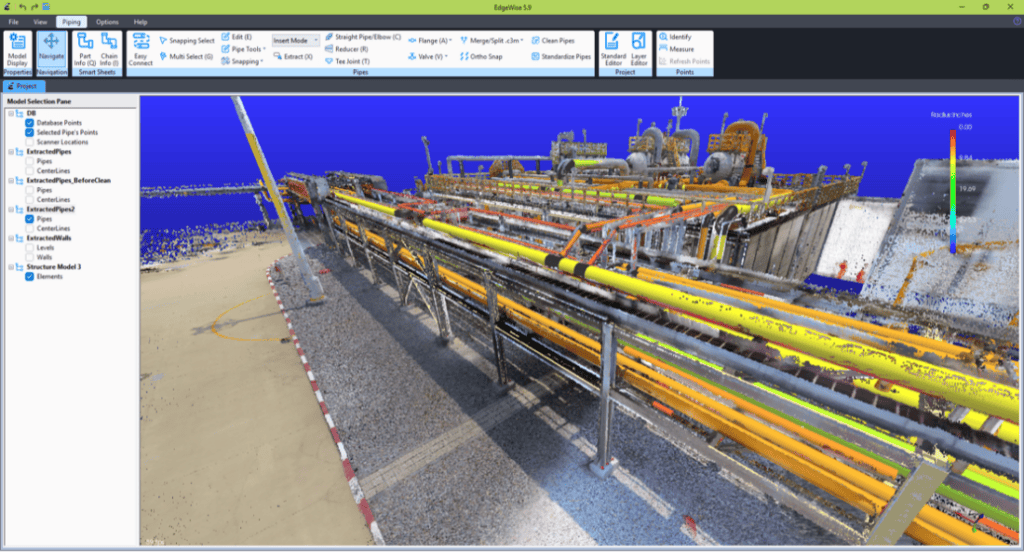
The dataset was captured using an OmniSLAM R8+, a mobile rotating lidar scanner designed for accurate point cloud data capture. It records color point clouds at up to 250,000 points per square meter (per OmniSLAM’s published specifications), while the operator simply walks the site, with no need for setup between stations.
The part that matters for scan-to-BIM is OmniSLAM’s advanced SLAM algorithm. It holds the data together even under agile movement, so full coverage doesn’t come at the cost of density or introduce the drift that usually shows up in handheld scans. You get near-terrestrial-scanner-quality data at a walking pace.
Total capture time for the facility: roughly 20 minutes, with the R8+ worn in backpack configuration.
Processing was handled in OmniSLAM Mapper, entirely on-premise. The point cloud was registered and prepared on a local workstation under a one-time perpetual license.
The output is the kind of point cloud that makes everything downstream fast.
Step 1: Automated Pipe Extraction
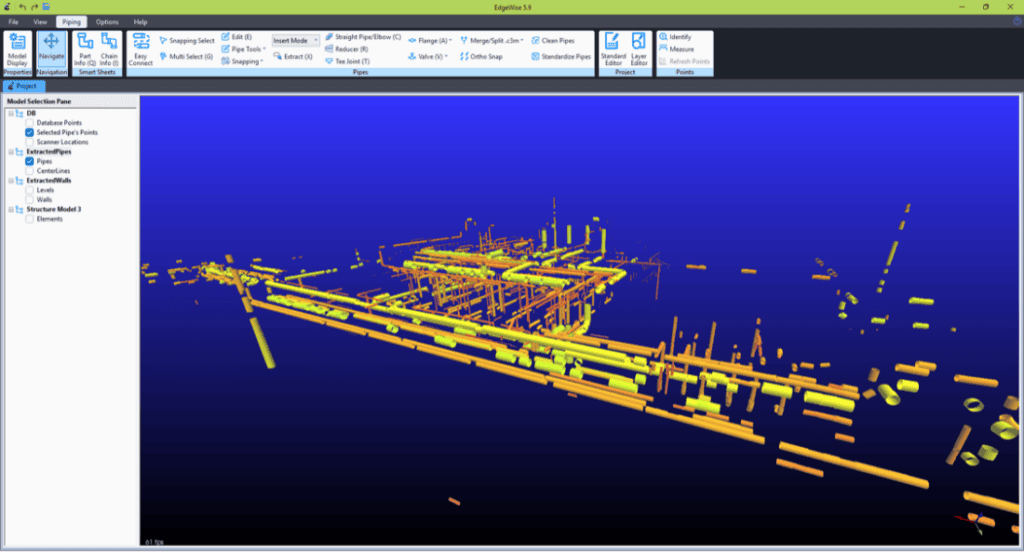
EdgeWise Pro automatically extracted 889 straight pipe segments, each with low manual effort.
With noisier data, automated extraction still saves real time, but it leans on the modeler to resolve ambiguous geometry. With the R8+ data, there was little to resolve. The density and low noise let EdgeWise lock onto pipe runs cleanly across the entire facility, and the low-noise scan let the QA tools settle each fit tightly against the cloud.
Step 2: QA the Pipe Fit
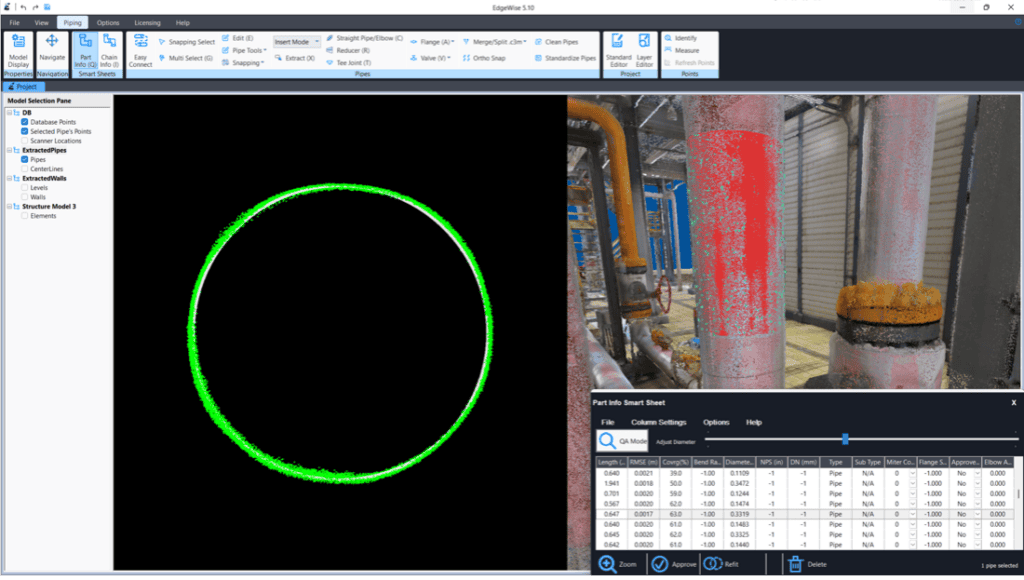
Before connections are added, automatically extracted runs get checked against the point cloud. This is the step that earns trust in everything that follows. If the straight pipe isn’t fit tightly to the scan, every fitting placed afterward inherits the error.
EdgeWise’s QA tools measure how closely each extracted pipe conforms to the cloud, so deviations surface immediately instead of propagating downstream. It’s also where the R8+ data pays off again: with low-noise scans, the deviation you see reflects the fit itself, not scan artifacts, so you can lock in a remarkably accurate fit.
With the piping verified, fittings and connections come next.
Step 3: Modeling Fittings
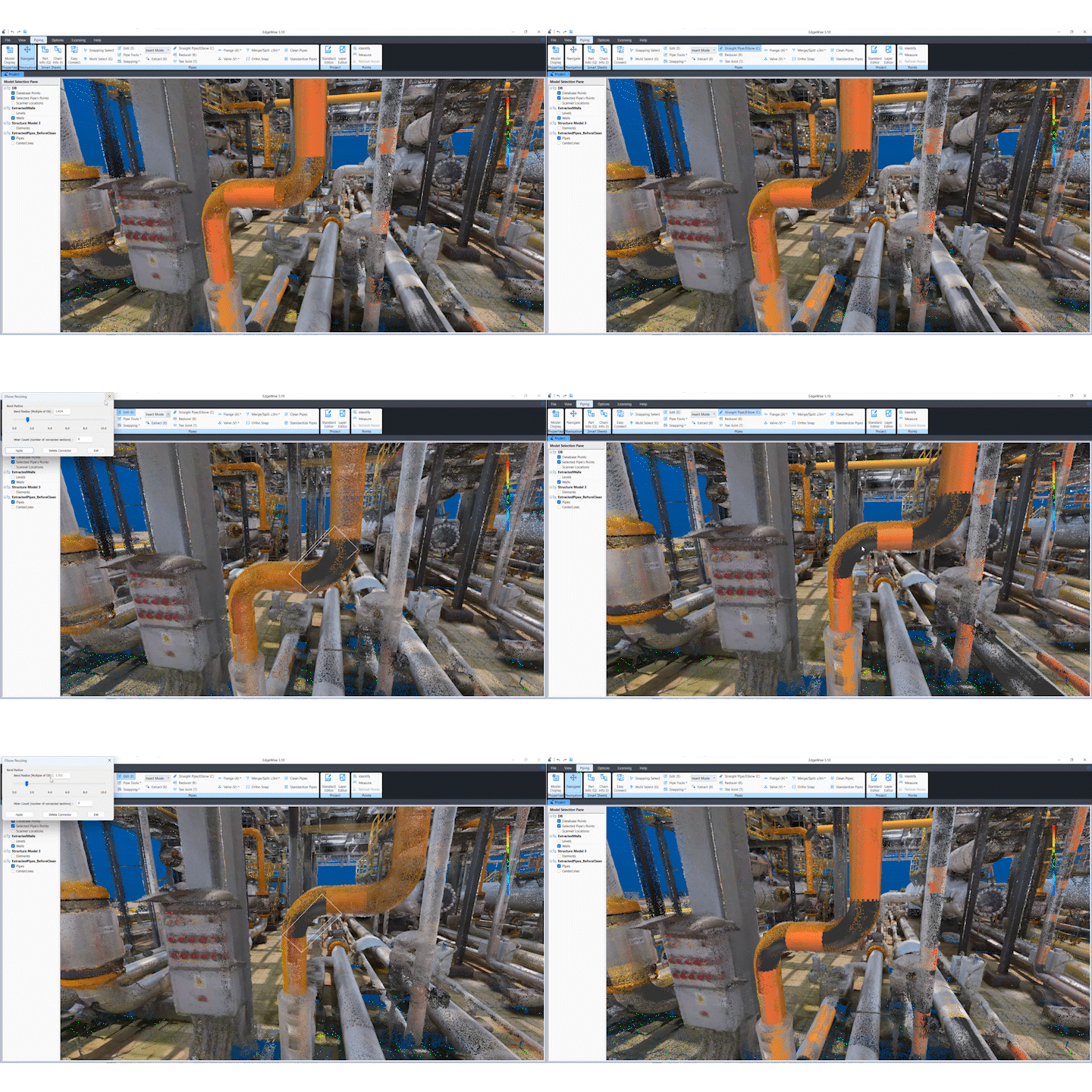
Pipe fittings, including elbows, tees, reducers, and more, were placed using EdgeWise’s purpose-built fitting tools. This part of the workflow is hands-on, but it’s far faster than modeling the same fittings natively in Revit, where each one is a manual placement against raw point cloud. EdgeWise makes it easy to fit the scan and snap connections into the run as you build.
The fittings added up quickly: 403 elbows, 71 tees, 229 couplings, and a single reducer, bringing the full piping model to nearly 1,600 elements.
Step 4: Structural Extraction with the Pattern Extract Tool
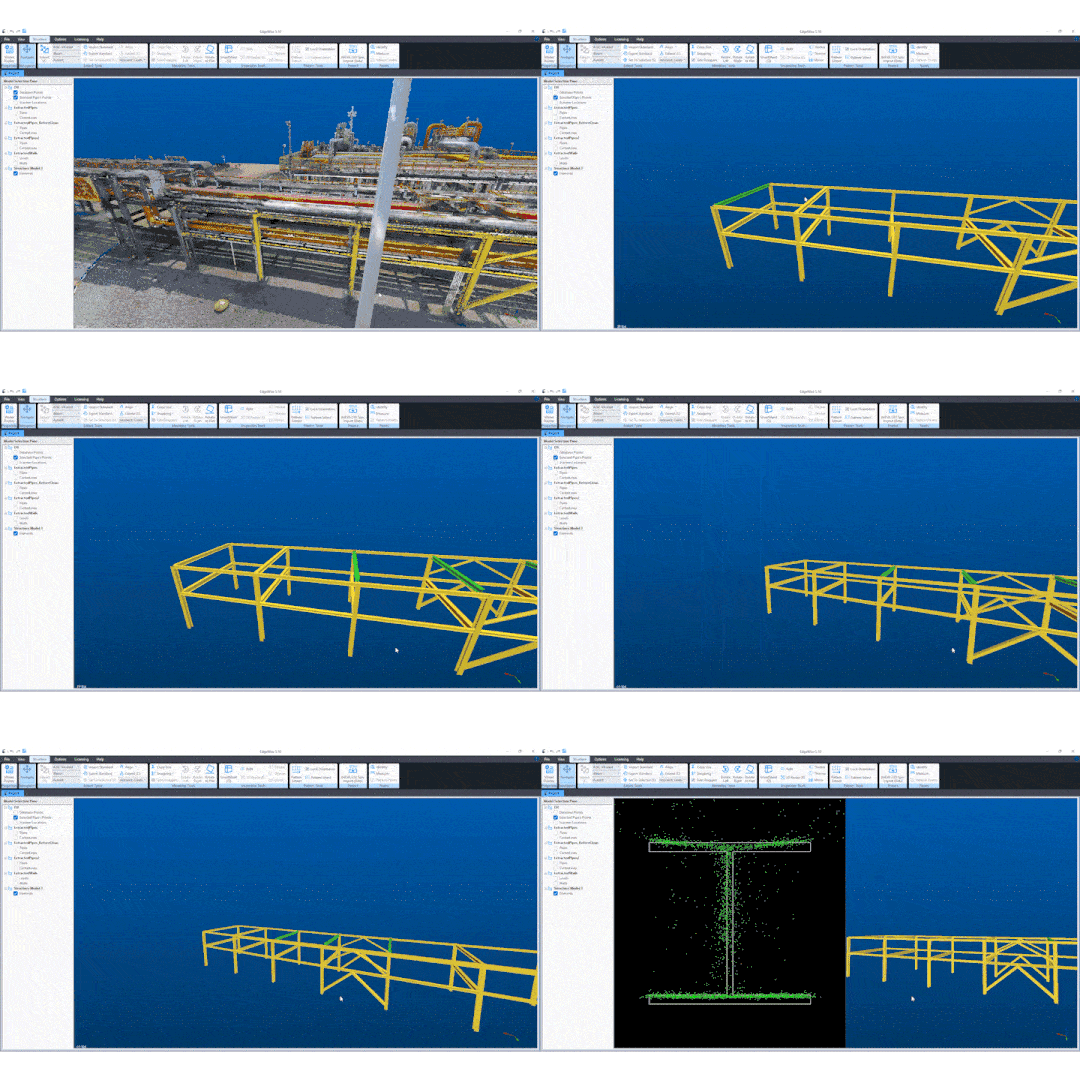
Repetitive steel is where modeling time usually balloons. EdgeWise Pro’s Pattern Extract tool flips that. The modeler fits a handful of steel members using assistive tools, and Pattern Extract finds every matching instance down the length of the point cloud, fitting each one to the data, not copying and pasting a template. On this facility, Pattern Extract helped produce 140+ structural elements in about two hours.
Step 5: Export to Revit as native families
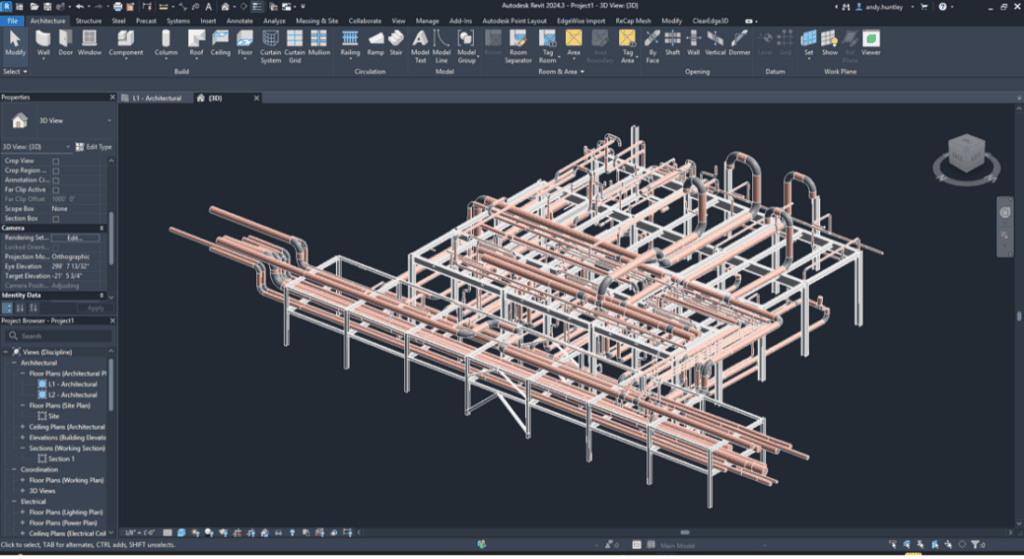
Everything was then exported directly to Revit as native family objects. Not generic geometry, not a mesh: model elements you can schedule, tag, and coordinate the moment the file opens. The handoff to downstream BIM work is immediate, with no conversion step in between.
The bottom line: 14 hours, start to finish
A full industrial facility, with nearly 1,500 piping elements and 140+ structural elements, captured in 20 minutes and modeled in roughly fourteen. That’s the payoff of pairing a high-quality scanner with extraction software built to make the most of it.
Better data in. Better models out.
“This collaboration demonstrates what’s possible when high-quality reality capture meets intelligent modeling automation. Together, we’re raising the standard for how quickly and accurately reality capture can be transformed into actionable BIM,” says OmniSLAM.
Want to see EdgeWise turn your scan data into a Revit-ready model? Request a demo!
Curious how the R8+ captures this kind of data? Learn more about OmniSLAM’s Mobile SLAM scanners.