Simple by Design. Select, Extract, Fit to Spec.
Modeling from point clouds natively in Revit is slow, imprecise, and tedious — EdgeWise Lite was built to fix that. Use semi-automated modeling tools to easily fit spec-based piping, structure, ducts, conduit, cable trays, and walls to your scan data. Comprehensive QA/QC tools and direct integration keep your as-built deliverables accurate and Revit-ready from first fit to final model. Better as-builts start here.
What Is EdgeWise Lite?
EdgeWise Lite is a new entry point into the ClearEdge3D ecosystem — a purpose-built licensing tier that gives you the fitting algorithm at the heart of EdgeWise, without the automated extraction at the front end of the workflow. You select the elements, and the algorithm fits spec-matched geometry to your point cloud. Semi-automated, spec-driven, and built for teams who want accurate as-builts at an accessible price point.
We built EdgeWise Lite for users who know there’s a better way to work from point clouds but haven’t had a tool that fits their scale or budget. That changes at $1,995 USD per year.
See What EdgeWise Lite Can Do
Semi-automated modeling for accurate, Revit-ready as-builts. Available for $1,995 USD/year.
Faster and Easier Than Native Tools – Six Element Types, One Consistent Workflow
In Revit, fitting elements to a point cloud means constant iteration — placing, checking, adjusting, repeating — and accuracy depends entirely on how carefully you work. EdgeWise Lite cuts that loop short. Select around piping, structure, ducts, conduit, cable trays, or walls, and the algorithm extracts accurate geometry and fits it to spec automatically. Compatible with a wide range of SLAM and TLS point cloud datasets.
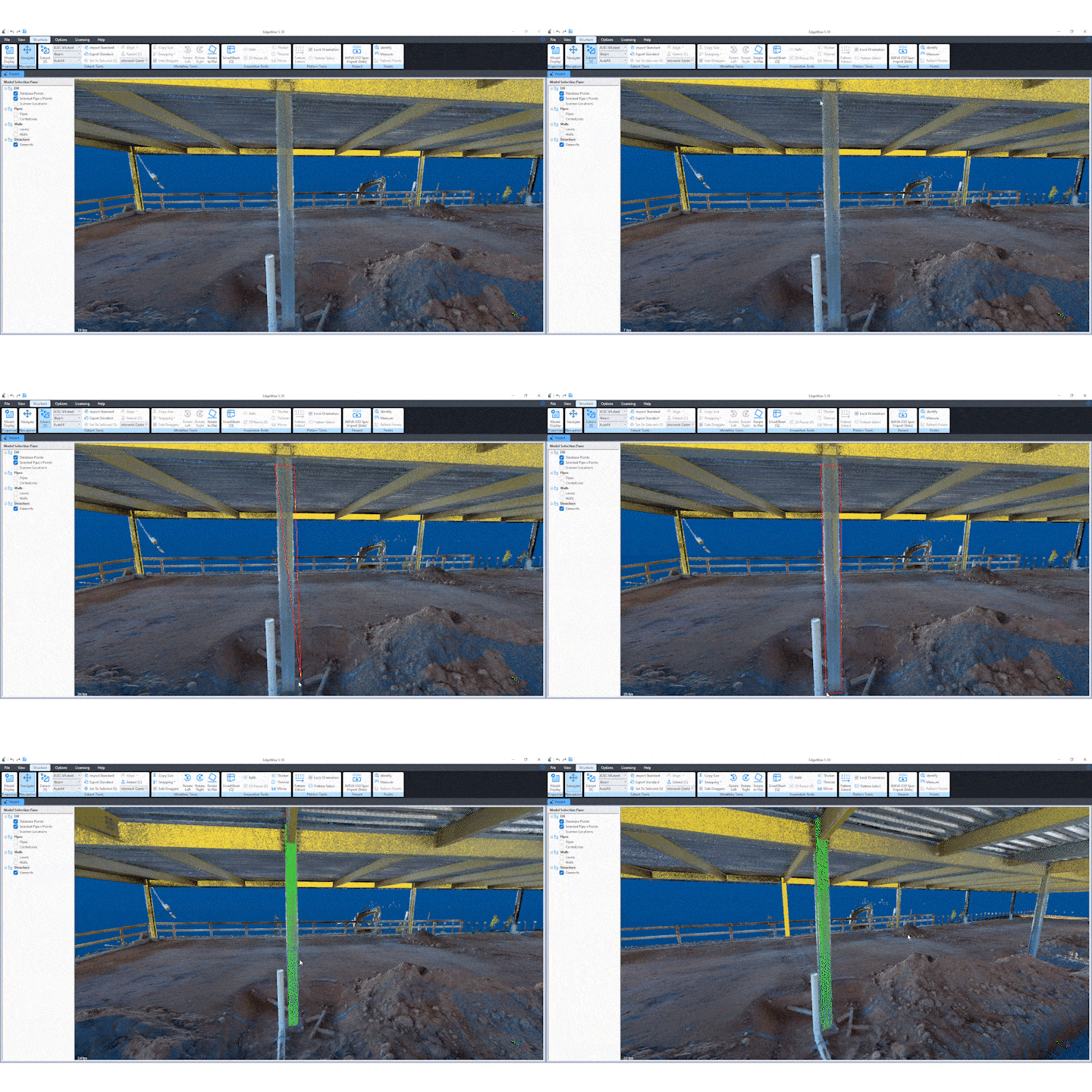
Select around piping, structure, ducts, conduit, cable trays, or walls and automatically fit spec-based geometry to your point cloud.
The QA/QC Tools That Set It Apart
Most modeling tools ask you to trust the output. EdgeWise Lite shows you the proof. Smart Sheet displays point cloud coverage, specification compliance, element length, and more for every modeled element. This way, you know your model reflects reality before the deliverable leaves your desk.
The cross-section view takes it further, letting you verify and adjust elements in context. Particularly useful when dense or complex scan environments make standard 3D views difficult to read. Less inference, more certainty.
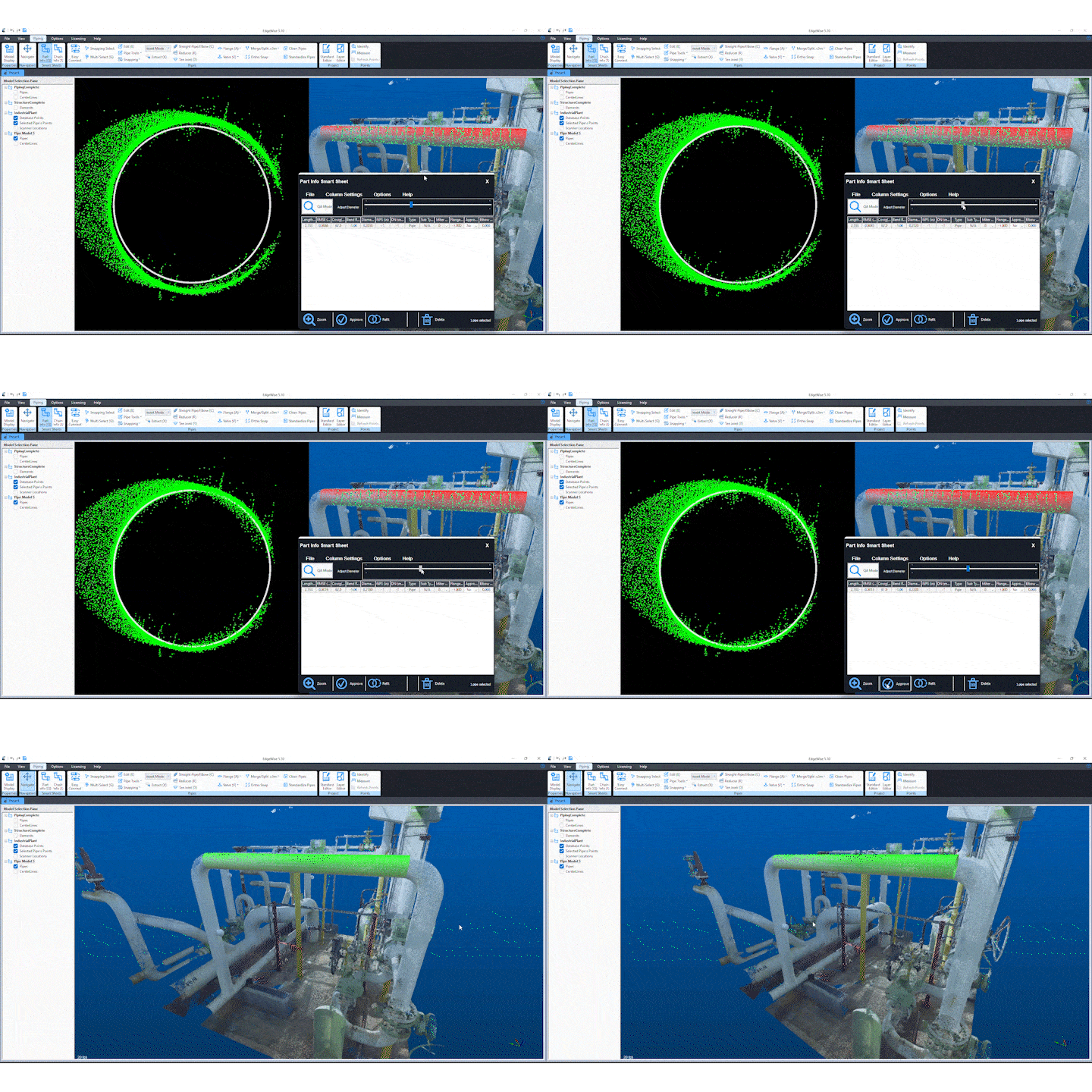
When a 3D view isn’t enough, the cross-section view gives you a precise 2D look at how your modeled element aligns with the point cloud so you catch what the standard view misses.
Revit-Ready From the Start
Your model exports to Revit as native family objects — element type, geometry, and coordinates intact. No generic file formats, no lost intelligence. And the handoff doesn’t stop at the model. Smart Points isolates the point data for every modeled element as an RCP file, so going back to adjust anything in Revit is fast and precise. Remainder Cloud exports the unmodeled points from your scan, so you always know exactly what’s left to address.
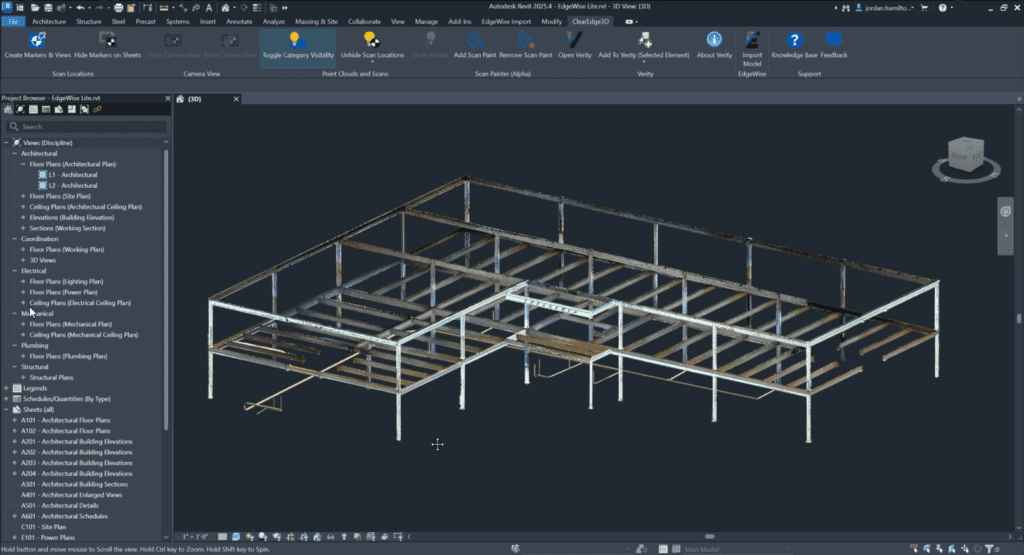
Smart Points allows you to export point data for modeled elements only, simplifying downstream edits.
ClearEdge3D and Stonex: Scan to As-Built, Start to Finish
ClearEdge3D has partnered with Stonex to bring EdgeWise Lite to teams working with their scanning hardware. EdgeWise Lite is available bundled with select scanner purchases or as standalone software, giving teams a flexible path to get started, whether they’re buying new hardware or already have a scanner in the field.
A Starting Point, Not a Ceiling
When project volume or scale grows, EdgeWise Pro is the natural next step. Pro is ClearEdge3D’s full-featured EdgeWise experience that unlocks automated extraction at the front end of the workflow and pattern extraction for repeating structural elements. Same algorithm, same accuracy, significantly less manual effort. Start with Lite. Upgrade when you’re ready.